
Reports and exporting your diary
Make event sheets, a booking register, cash book, dues list and customer statements as PDF, or download everything in Excel.
The reports
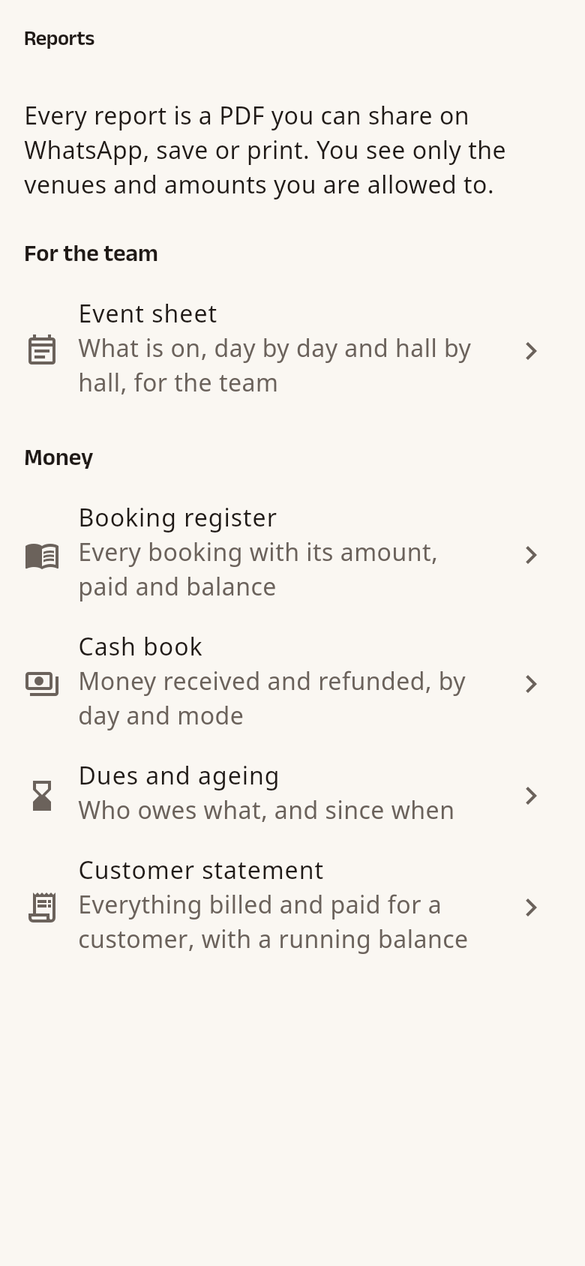
Open Settings › Reports (or Reports under Quick actions on Home). Each report is a PDF:
- Event sheet: what is on, day by day and hall by hall, for your team. No amounts.
- Booking register: every booking with its amount, paid and balance.
- Cash book: money received and refunded, by day and by mode.
- Dues and ageing: who owes what, and since when.
- Customer statement: everything billed and paid for one customer, by their mobile number.
- Cancellations: what was cancelled, when, by whom, why, and the money kept or refunded.
- Concessions (owner and admins): every discount and every add-on given below its rate, with who gave it.
You see only the venues and amounts you are allowed to.
Make one
- Tap the report.
- Choose the period: Today, Next 7 days, This month, This financial year or Choose dates, and any options shown.
- Tap Share PDF (WhatsApp, email and so on), Print or Open PDF.
Shortcuts: the PDF icon on a calendar day (event sheet), on Bookings (register) and on Dues, and Statement in a booking's ⋯ menu.
Download your whole diary (owner)
- Settings › Export my diary › Prepare export.
- Confirm it's you with Google or an OTP.
- HallDiary prepares an Excel file in a few minutes; you can leave the page. A download button appears there and on Home.
The file has your venues, halls, rooms, bookings with money, payments, charges, meter readings, customers and team. It is kept for 48 hours and only you can download it. Nobody in your team is told.